
Play 3D Mini Golf Online for Free
No download, no sign-up. Works on phone, tablet and desktop.
Pull back, let go, and watch a real ball roll. Felt friction, slopes, spin, cushions and cup lips are all simulated, so a perfect read drops, a heavy putt lips out, and a bank off three rails feels earned.
Warm up on the meadow, or chase aces?
This 3D mini golf game runs right in your browser. Start the Tour on Meadow Classic and unlock Pirate Cove, Neon Arcade and Glacier Peak with stars. Want a quick round with friends? Party mode lets 2–4 players take turns on one device.
How to play mini golf online: three things to know
The aim guide is on by default. Switch it to Long while learning, or turn it off for pure feel.
01Pull back to aim
Press anywhere and drag away from where you want the ball to go, like a slingshot. The arrow and dotted line preview the line, including how the slope will bend it.
02Drag length is power
The farther you pull, the harder the putt. The meter shows power and an estimated roll distance on flat felt. Drag back to the start to cancel.
03Read the venue
Sand grabs, ice glides, belts carry, bumpers kick and pipes teleport. Windmills, crates and laser gates move on a rhythm, so time your putt.
- Drag back
- Aim & power
- Release
- Putt
- Right-drag / 2 fingers
- Look around
- Wheel / pinch
- Zoom
- ← → ↑ ↓
- Aim & power by keys
- Space
- Putt
- V
- Overview
- P / Esc · M
- Pause · Mute
Ball keeps lipping out?Pace matters as much as line. A ball rolling faster than about 4 ft per second can hop the cup. Aim to finish a foot past the hole.
Phone getting warm?Choose Battery saver in Settings: 30 fps and lighter shadows, still anti-aliased and sharp. The game stops redrawing when nothing moves.

Every putt is real physics
The ball skids, then rolls. It slows on felt, races on ice and dies in sand. Cups have a true lip and liner, so pace and line decide whether it drops, rattles in or spins out. All physics runs in a background worker at 1,000 steps per second.
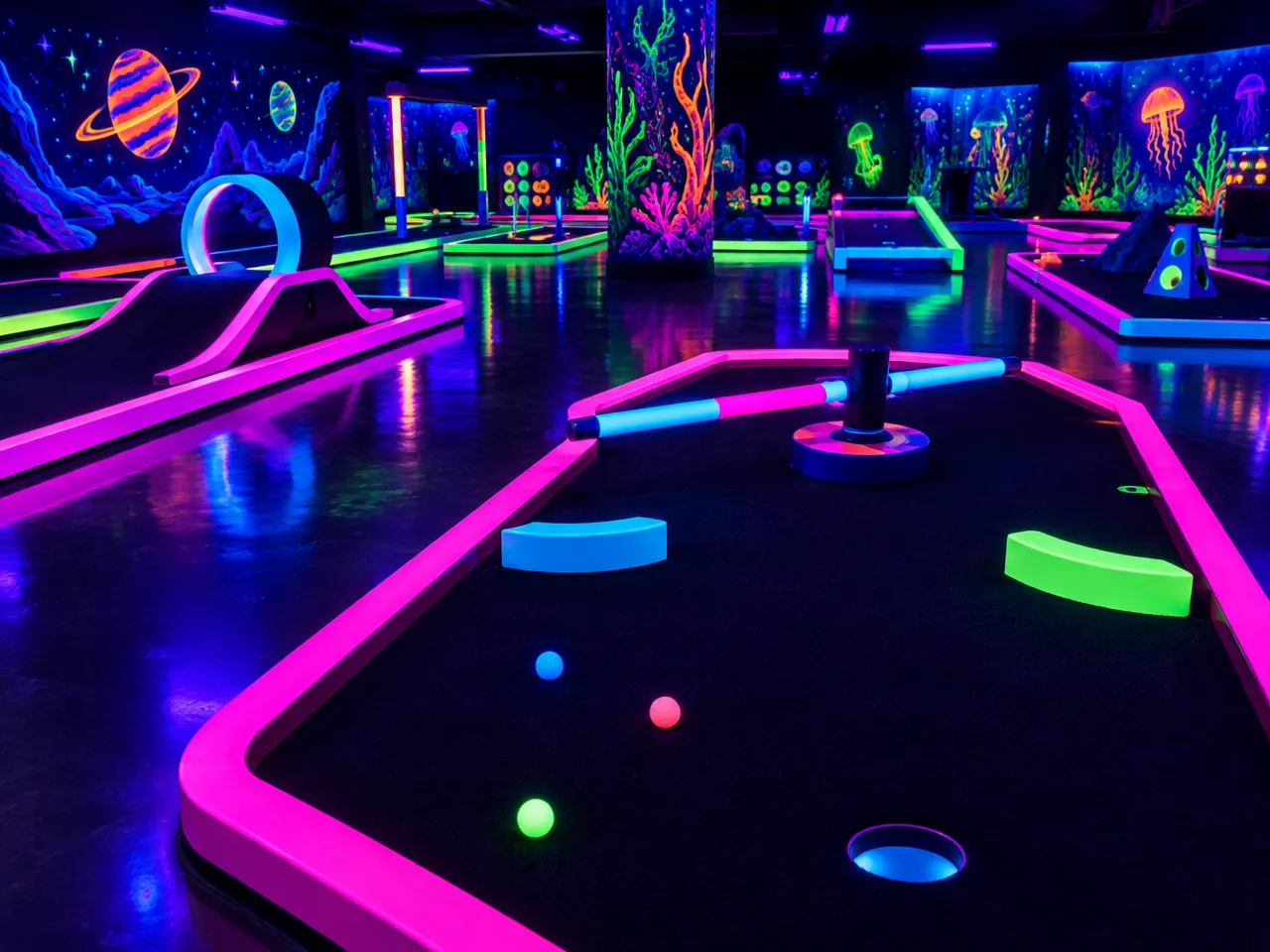
Four venues, four personalities
Meadow Classic has the old windmill. Pirate Cove adds lagoons, plank bridges and a skull-cave pipe. Neon Arcade brings pop bumpers, boost pads and a spinning turntable. Glacier Peak finishes with ice bridges, a ski lift and the summit.

Coins, stars and ball skins
Each hole hides three coins on bold lines. Stars come from par and better. Together they unlock new venues and eight ball skins with trails, from Sunset Orange and Ocean Glass to Comet and Galaxy.
24Holes
4Venues
5Game modes
0Downloads
3D Mini Golf FAQ
Is this 3D mini golf game free? Do I need to download anything?
PLYYARD 3D Mini Golf is a free browser game. There is nothing to install and no account to create. It includes a 24-hole Tour, a Daily Challenge, Practice and a local Party mode for 2–4 players.
How do I putt on a phone vs. a computer?
On a computer, press the mouse anywhere on the course, drag back, then release. Right-drag rotates the camera, the wheel zooms, and arrow keys plus Space work too.
On a phone, drag back with one finger and lift to putt. Use two fingers to rotate and pinch to zoom. Focus mode fills the whole screen.
Why did my ball roll over the cup?
Like real golf, a cup only catches a ball that is moving slowly enough. Hit it at the right pace, finishing just past the hole, and it drops. Too fast and it can lip out or hop over.
How are stars and par scored?
Each hole has a par. Finish under par for 3 stars, at par for 2 stars, and over par for 1 star. Stars unlock Pirate Cove (8★), Neon Arcade (20★) and Glacier Peak (34★). Water or out of bounds adds a one-stroke penalty.
What is the Daily Challenge?
Every day you get three holes from different venues plus a twist such as Big Cup, Low Gravity, Ice Age, Super Rails or Thick Turf. Everyone on the same date gets the same challenge, so you can compare scores and keep a streak.
Can I play with friends?
Yes. Party mode lets 2–4 players take turns on one device, with a shared scorecard and a winner at the end. Online multiplayer is not available yet.
Is my progress saved without an account?
Yes. Stars, best scores, coins, skins, achievements and settings are saved in this browser automatically. Clearing site data or switching browsers starts fresh.
My phone gets warm or the game stutters. What can I do?
Open Settings → Graphics and choose Battery saver: 30 fps, lighter shadows and anti-aliasing still on. In Auto mode the game also lowers resolution when the device struggles, and it stops rendering when the scene is still.
The game shows a black screen. Which browsers are supported?
You need a browser with WebGL, such as a recent Chrome, Edge, Firefox or Safari. Check that hardware acceleration is enabled, try another browser, or open the page outside an in-app browser.
How do I turn the sound off?
On the play screen, tap the speaker or press M to mute. Settings also has a volume slider. Mute is saved in this browser, so the next visit stays quiet.